# Inviting Members

1. Log in to the [Dashboard](https://app.orimon.ai/login) for your bot using your Google account or sign up manually if you haven't already.
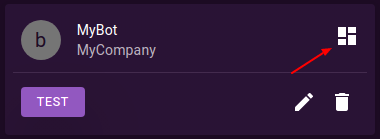
2. Navigate to the overview page of the bot that you want to invite your team to.

<figure><img src="https://55912965-files.gitbook.io/~/files/v0/b/gitbook-x-prod.appspot.com/o/spaces%2FxUW02x9klXneNc1Bxtt6%2Fuploads%2Fp7SbtR2tA9h1opHIdIUS%2Foverview.png?alt=media&#x26;token=5dcdc871-3c99-4cec-bef9-92fb275ff2e0" alt=""><figcaption></figcaption></figure>

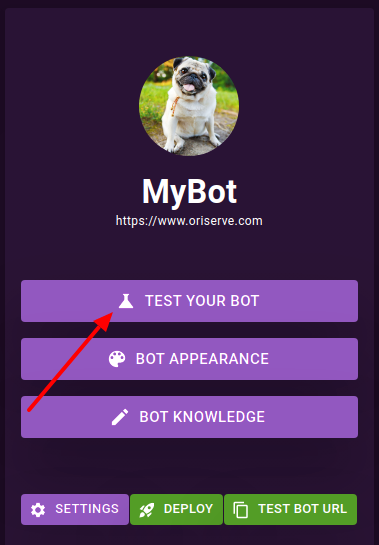
3. Click on the "Test Your Bot" tab.

<figure><img src="https://55912965-files.gitbook.io/~/files/v0/b/gitbook-x-prod.appspot.com/o/spaces%2FxUW02x9klXneNc1Bxtt6%2Fuploads%2FYpAkuhEBDi0iP9RQ9T8b%2Ftyb.png?alt=media&#x26;token=8c21ba27-aee5-413b-8ee5-d362d7921a8a" alt=""><figcaption></figcaption></figure>

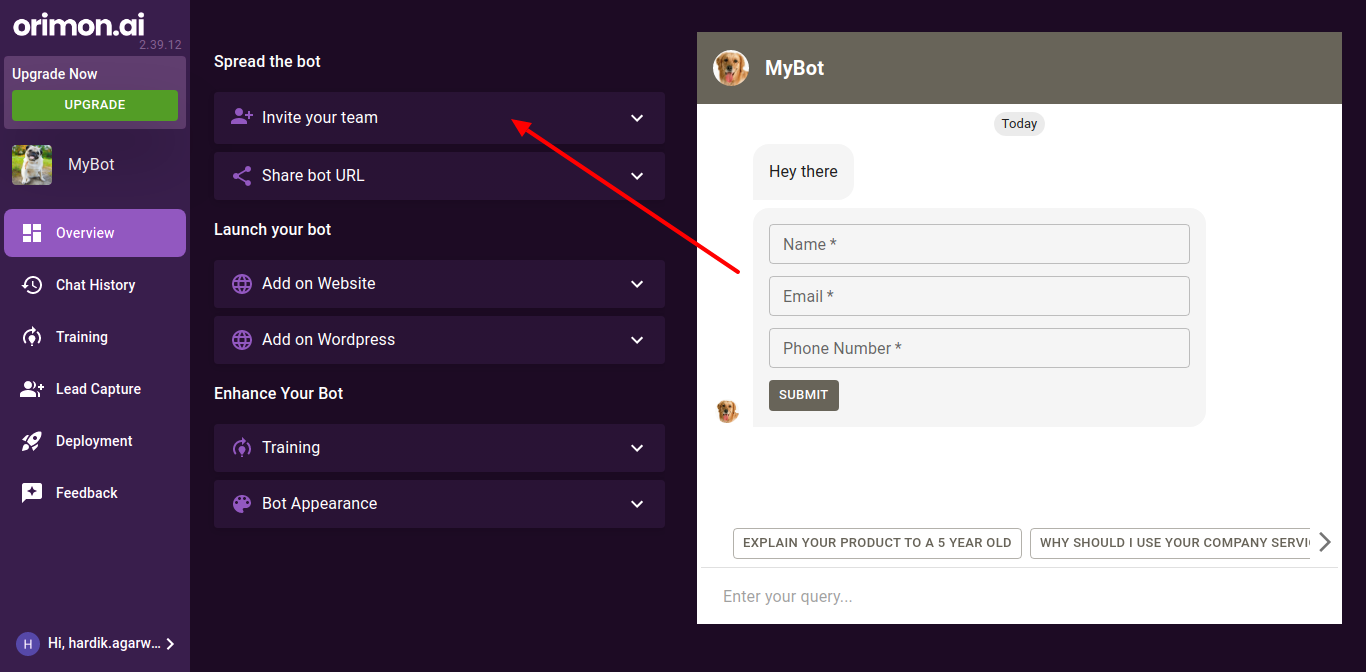
4. Click on the "Invite Your Team" tab.

<figure><img src="https://55912965-files.gitbook.io/~/files/v0/b/gitbook-x-prod.appspot.com/o/spaces%2FxUW02x9klXneNc1Bxtt6%2Fuploads%2FJNhqG89PcH8eUdedGH2f%2FTest-Bot.png?alt=media&#x26;token=5782454f-9c0b-419b-a68b-bae130ec4739" alt=""><figcaption></figcaption></figure>

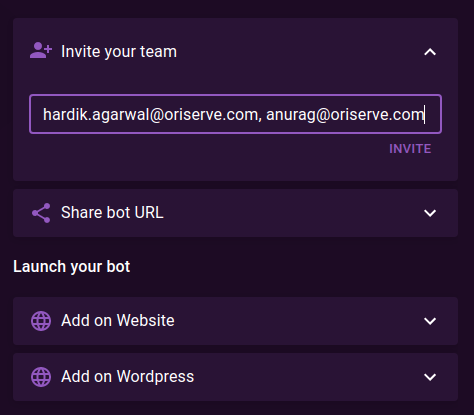
5. In the "Invite Your Team" section, you will see a field where you can enter the email addresses of the people you want to invite to collaborate on your bot. Make sure to separate each email address with a comma.

<figure><img src="https://55912965-files.gitbook.io/~/files/v0/b/gitbook-x-prod.appspot.com/o/spaces%2FxUW02x9klXneNc1Bxtt6%2Fuploads%2Fos74yQCJX8ESMAES7kKj%2FTest-Bot.png?alt=media&#x26;token=89544936-0076-4643-b65e-35bd68306d9a" alt=""><figcaption></figcaption></figure>

6. After entering the email addresses, click on the "Invite" button to send invitations to the email addresses entered.

That's it! You have successfully invited your team to collaborate on your bot. They will receive an email with instructions on how to join and start working on the bot with you.
<br>